 Webcross Limited
The ultimate on-page companion for digital marketers, SEO specialists, affiliate managers, and QA testers who require persistent, real-time insights into network beacons, cookie lifespans, and complex redirect chains.
Unleash the full power of a network debugger directly in your active browser window! The Traffic & Cookie Tracking Inspector docks a live, persistent sidebar directly onto your page, eliminating the need to keep bulky Chrome DevTools open or lose event logs across page navigations.
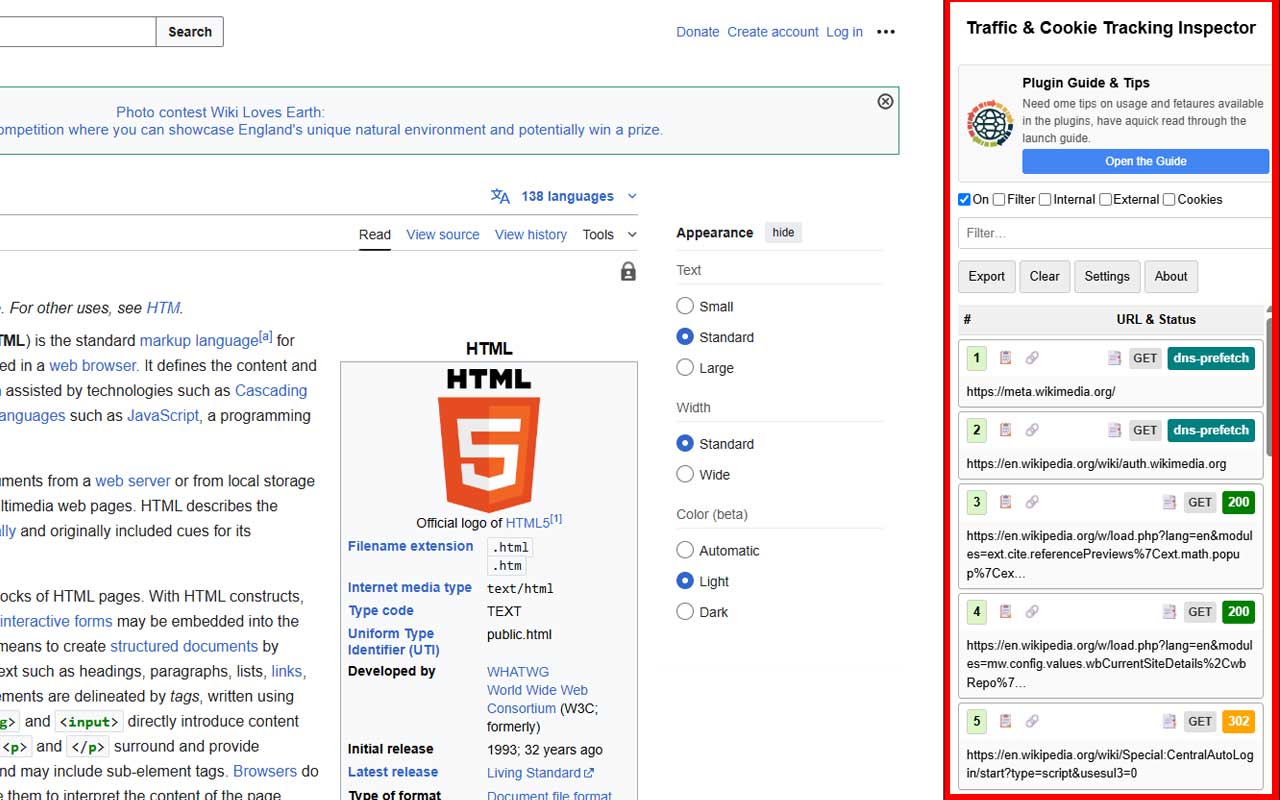
Whether you are validating pre-consent GDPR cookie drop behavior, debugging Google Analytics 4 server beacons, or tracing affiliate 301 redirect chains with sub-IDs, this extension provides immediate transparency at a glance.
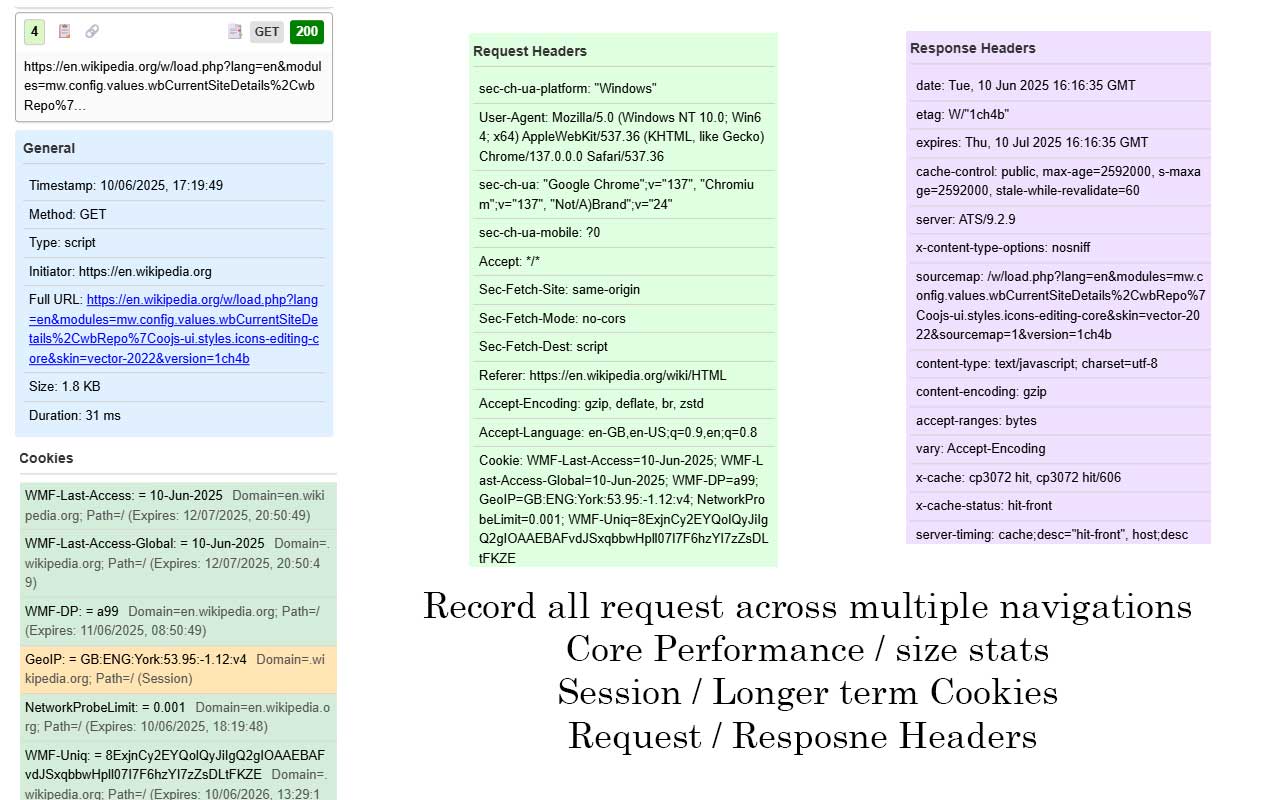
Unlike standard Chrome DevTools which clear network logs on page reloads (unless "Preserve log" is manually checked), the Inspector maintains a continuous chronological request record across full user browsing funnels.
Expand any network call to inspect full HTTP request and response headers, response payloads, mime types, file sizes, and status codes (color-coded for 2xx, 3xx, 4xx, and 5xx).
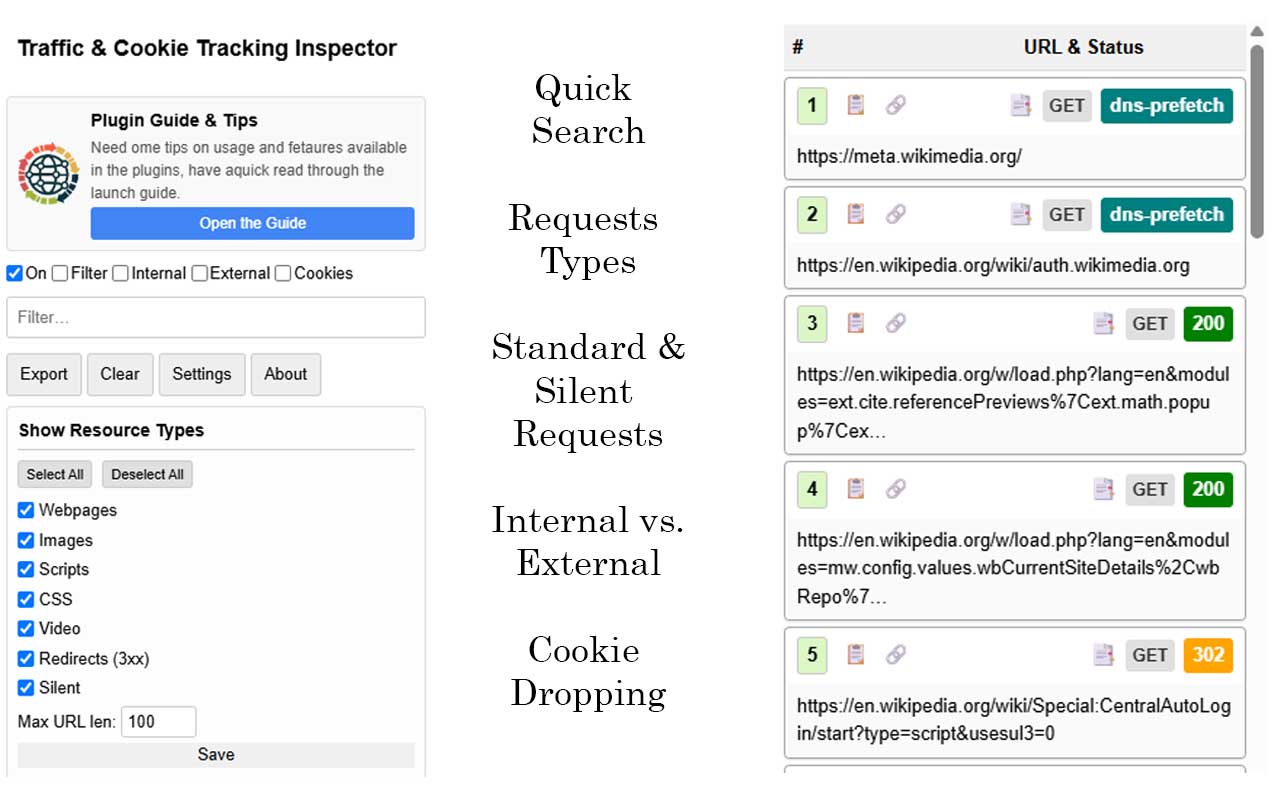
Detects all forms of web redirects:
Inspect every cookie set via `Set-Cookie` response headers or `document.cookie`. Session cookies are distinguished from persistent cookies, and human-readable expiration dates make cookie policy auditing straightforward.
Click the install button to add the extension to Google Chrome or any Chromium browser (Brave, Edge, Opera).
Click the extension icon in your browser toolbar to dock the on-page inspector sidebar on any website.
Use the live search filter box at the top of the sidebar to isolate specific analytics endpoints (e.g. "collect", "facebook", "doubleclick").